
Today a continued work with SQL Server, but for another customer:-), I write this to share with you about my experience with SQL, but also for my as a documentation of my daily work.
What is Kerberos?
Kerberos is a network authentication protocol. It is designed to provide strong authentication for client/server applications by using secret-key cryptography. Kerberos is available in many commercial products as well.
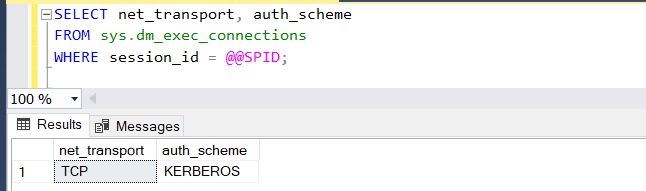
Let’s start. To check if we’re using Kerberos authentication, the easiest way is to query the instance with SQL Management Studio
SELECT net_transport, auth_scheme
FROM sys.dm_exec_connections
WHERE session_id = @@SPID;
The result should look like this below.
Or you can look in the SQL logs. Example before the SPN registration

Now I start the register the SPN. You must have to Domain Admin rights to that. I register the SPN for the Instance Name (in my example SQL01) and the TCP port 1433. In the contoso.com domain and for user sqluser01.
setspn -s MSSQLSvc/SqlHostName.contoso.com:SQL01 contoso\sqluser01
setspn -s MSSQLSvc/SqlHostName.contoso.com:1433 contoso\sqluser01
After a successful operation, you can check the registration with setspn -L parameter
setspn -L contoso\sqluser01
You should now see two entries, one for the instance name SQL01 and one for the port 1433.
If you try to register spn for gMSA (group Managed Service Account) you must specify the gMSA account with the “$” sign at the end.
setspn -s MSSQLSvc/SqlHostName.contoso.com:1433 contoso\sqluser01$
And the last thing is the AG (Availability Group). To register the SPN for AG, it is important to register the service account for AG Listener, not the AG Name. AG Listener is the Active Directory object that was created after the Availability Group creation.
Finally, we have also opportunity to using Microsoft Kerberos Configuration Manager for SQL Server from here
I hope this helps you to register your own SPN.
Have a nice time and… to the next post
Cheers
Andrzej
 Home
Home 